Velocity platform redesign
Overview
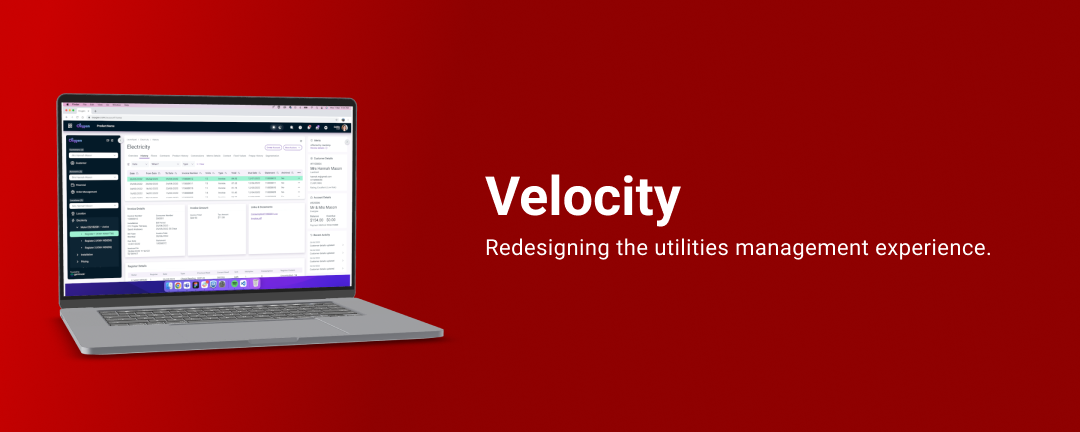
Velocity is a utilities platform used by many small and large businesses across the globe.
The goal of this ongoing project is to identify usability issues, as well as align the branding to make the software easier to use.
Role
UX/UI Designer & Front End Developer
User Research, Prototyping, Testing and Front End Coding
2021 - 2024
Background
Gentrack is a globally recognised utilities company, currently aimed at transforming the way in which utilities are managed. Velocity is one of their products. Learn more about what Gentrack does.
I was the sole UX designer on this project.
I joined Gentrack as a Senior UX Designer back in October of 2021. Tasked with redesigning their biggest revenue gain, I set out to work.
I've grown tremendously over the past 3 years, some key achievements of which I have listed below:
- Improved usability across the platform. Time On Task, Less Clicks, Holistic view of the customer
- Established a component library. It is used daily to export from Figma to front end components
- On-site usability tests with our customers.
- Our salespeople are proud of the product.
Understanding the problem
Velocity has been around for the past 35 years. It's aim is to help utility companies manage business processes.


Over the years, Velocity has had a tonne of growth. Business objectives had changed and so a reskin was built 6 years ago, named MobileUI, which aimed to be responsive and work on mobile devices.


Problems began to arise with MobileUI as users found it more difficult to use, had more clicks to complete tasks, and overall found the software bland and boring.
In 2021, plans formed for the newly founded UX team to look at the way in which users used our software.
User Experience at Gentrack had never been looked at before. If you had asked anyone at our company what they thought our users used the software for, no one would have a definitive answer for you.
Gathering Insights
We started the process of gathering insights by going to our customers and asking them what they did most on our software.
Pulse Energy were our prime contenders. We had a good working customer relationship so it was easy to get our foot in the door.
Conducting User Interview on site at their premise in Auckland, we found the key journeys they were using the software for. We also found the key User Roles that their company had, and how each role played it's part in delivering their customers with meaningful experiences.
My research encompassed:
- Understanding of user goals and needs.
- Uncovering pain points with existing user journeys.
- Mapping users mood while using the software.


Workshop & UX Outcomes

Beginning in March, we began workshopping to understand how we could transform our old software into something that our company and our customers would have pride in using.
Workshops were conducted over Teams, using Miro, as Gentrack's employees are spread out across the globe. Using a Lean UX approach, we were able to narrow down the fastest and best course of action to get Iteration One of the MVP started.

Based off the workshop, we were able to narrow down what MVP might look like:
- Users have the ability to see a holistic view of the customer they are speaking with.
- Users take less time to complete a task.
- Users know where they are in the system and know what their next best action is.

Testing the current state
We prepared the current state of the user interface by conducting unmoderated tests internally with users who had experience on the current platform.
Knowing what the most common User Journeys were from our Pulse Energy workshops, I developed a test which we would replicate for the new User Interface that would be designed.

Doing this would make comparing our new User Interface with our old one much easier.
Validating the designs

I conducted unmoderated usability tests via the platform usertesting.com.
I then compared the results between the old User Interface and the new User Interface and concluded:
- Users took 25% less time on average to complete a task
- Users knew where they were in the system
- Users knew what their next best action was
Developing the solution
I have a Front End Developer background and Gentrack did not have any front end developers.
With my knowledge of CSS & Javascript, I was able to:
- Take on the role of Lead Frontend Developer, with assistance from 3 Backend developers, completely reskin Velocity to look like the designs.
- Pull the styles out of Figma and create a LESS design framework for the front end.
- Help out the backend developers with any questions they had about CSS or Javascript.
Ongoing UX projects
Velocity is an extremely large and complex piece of software. There are over 1000 screens that are generated across 17 different templates.
During the three years that I worked on this project, I had the chance to research, define, design and test many features. Here are some honourable mentions.
Launchpad
The Launchpad is essentially the starting screen for Velocity. The current Velocity Launchpad is extremely outdated.
We wanted these benefits for our users:
- The ability to easily find a customer who is calling
- The ability to see what tasks are assigned to them
- The ability to access the most commonly used actions, quickly.
And an example of what we tested:

Project results
We have had incredibly positive feedback from internal stakeholders, as well as perspective customers.
So far, we have had three large companies see the User Interface and have signed up as new users